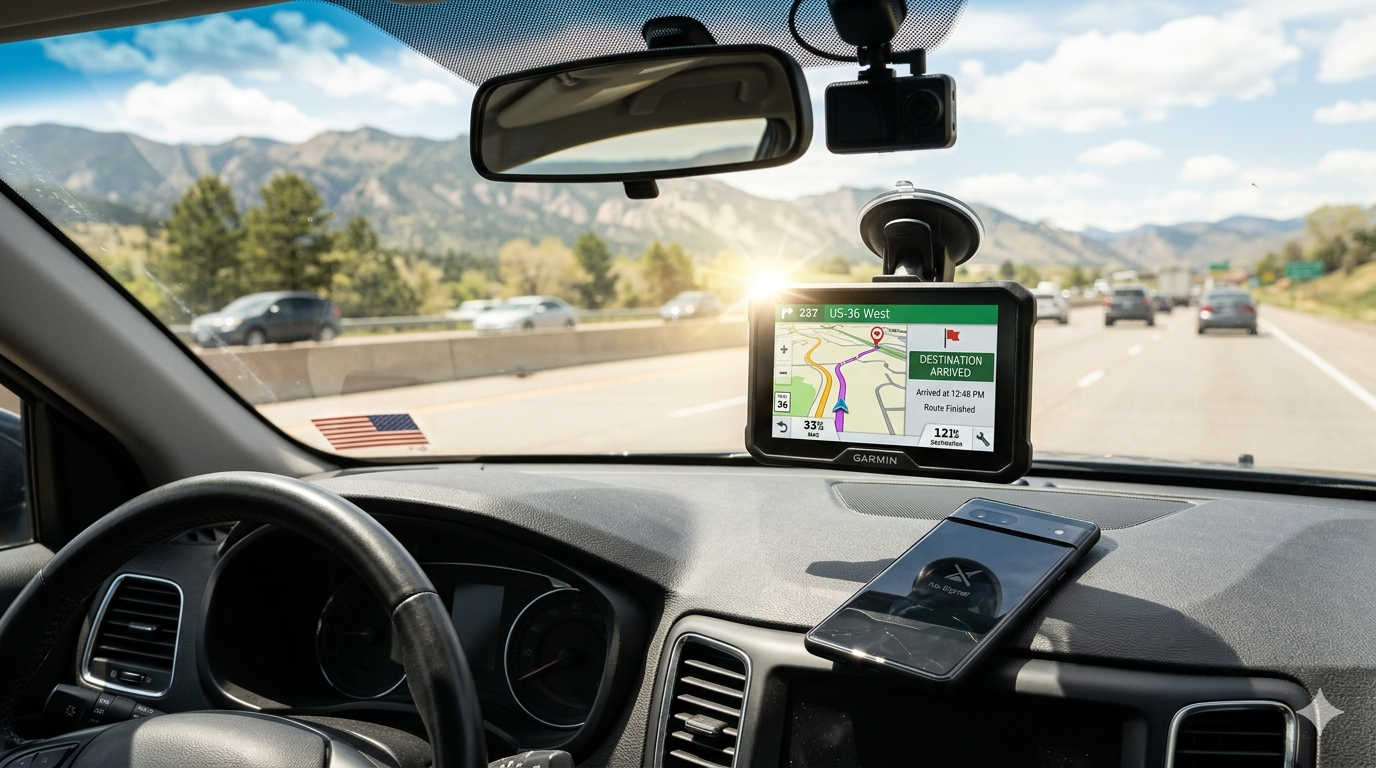
You are cruising down a highway you have never driven before. The scenery is beautiful. Suddenly, your phone screen goes dark because it overheated in the sun. A few miles later, you lose cell service entirely. Now, you are just guessing which turn to take.
That situation happens more often than people think. While smartphone apps work well in cities, they have limits. A dedicated car GPS device solves those problems in ways your phone never can. It does not need a data signal. It will not overheat and shut down on a hot dashboard. And it will never interrupt your directions because someone decided to call you.
If you drive for work, take long road trips, or just want peace of mind, a proper GPS unit is still one of the smartest investments you can make for your car. Let us walk through the best options available right now and help you figure out which one actually fits your life.
Why a dedicated GPS device still makes sense
Many people ask whether standalone GPS units are obsolete. The short answer is no. They have actually gotten better while phones have stayed the same.
A dedicated GPS connects directly to satellite networks like GPS, GLONASS, and Galileo. That means you get your location instantly, even in remote mountain passes, dense forests, or desert highways where your phone shows nothing but a blinking “searching” message.
The screens on these devices are also built differently. Have you ever tried to read your phone screen while driving toward the afternoon sun? It becomes a mirror. Quality GPS units use glare resistant displays that actually become easier to see when sunlight hits them directly. That is a huge safety advantage.
Then there is durability. A phone left on a dashboard in July will shut down from heat within an hour. A proper car GPS can sit there for twelve straight hours without complaining. It is built for that environment.
Best overall GPS for most drivers
The Garmin DriveSmart 86 is the device that checks every box for normal drivers. Its eight inch screen gives you plenty of room to see upcoming turns without squinting. The display stays bright and readable even in a convertible with the top down.
What really sets this unit apart is how it handles driver alerts. It warns you about sharp curves before you see them. It tells you when a speed change is coming up. It even reminds you about railroad crossings and school zones. These small warnings have saved many drivers from surprise tickets or close calls.
The voice control works well too. You can say “Hey Garmin, find coffee along my route” without taking your hands off the wheel or pairing your phone. It just works. For families or daily commuters who want reliability without complexity, this is the best choice.
Best GPS for off road and overlanding
If your idea of a good drive involves dirt roads, forest trails, or mountain passes, the Garmin Overlander is built specifically for you. This is not a pretty consumer gadget. It is a rugged tool that feels tough in your hand.
The Overlander works in extreme temperatures. It handles dust and water splashes without issue. More importantly, it comes loaded with topographic maps and off road points of interest. You can see public lands, campsites, and trailheads that never show up on Google Maps.
One feature stands out for serious adventurers. You can plan your entire route on your home computer using free software, then sync it to the device. That means you head into the wilderness with a complete map already loaded. No internet required. No surprises. Just reliable navigation when you are miles from the nearest paved road.
Best GPS for truck drivers and large RVs
Driving a big vehicle changes everything. A road that works fine for a sedan might be a disaster for a semi truck or a forty foot motorhome. Low bridges, weight restricted roads, and tight residential turns can ruin your day fast.
The Garmin RV 1090 solves this by letting you enter your exact vehicle dimensions. You tell it how tall your vehicle is, how long, how wide, and how much it weighs. You also tell it if you carry propane. The device then builds routes that specifically avoid roads your vehicle cannot safely use.
The preview feature is especially helpful. Before you commit to a route, the device shows you upcoming steep grades, sharp curves, and bridge heights. It also lists rest stops and truck friendly gas stations along the way. For professional drivers or RV owners, this is not a luxury. It is a necessity.
Best budget friendly GPS option
Not everyone needs a huge screen or off road maps. Some drivers just want a backup navigation tool that works without fuss. The TomTom GO Essential fills that role nicely.
TomTom keeps things simple here. The interface is clean and fast. There are no confusing menus or buried settings. You turn it on, type an address, and drive. The traffic updates come every couple of seconds when you pair it with their phone app, but the core navigation works perfectly without any phone connection at all.
For the price, you get lifetime map updates. That means you never pay extra to keep the device current. It is a perfect glovebox companion for rental cars, older vehicles without built in navigation, or anyone who wants a reliable backup.
What to check before buying any GPS device
Choosing the right GPS comes down to three things you should always check before spending your money.
First, look at screen size. A five inch screen is portable and easy to store. A seven inch screen gives you the best balance of visibility without blocking too much windshield. Eight inch and larger screens look great but can obstruct your view in smaller cars. Measure your dashboard space before buying big.
Second, verify that the device includes lifetime map updates. Some cheaper units or older models require paid subscriptions to download new road data. Always look for the words “lifetime maps” on the box or product page. That single feature saves you money for years.
Third, pay attention to how the device mounts to your dashboard. Modern magnetic mounts are vastly better than old plastic cradles. You just snap the GPS onto the magnet and it holds firmly. No clicking, no broken tabs, no frustration.
A few real world usage tips
Once you buy a GPS device, a couple of small habits will make it work better for years.
Update the maps before every long trip. Even if you bought lifetime maps, you still need to actually download them. Set a calendar reminder every three months to plug the device into your computer and run the update software. New roads open and old roads change. Fresh maps matter.
Keep the suction cup mount clean. Dust and oil build up over time and cause the mount to fall off your windshield. A quick wipe with a damp cloth every few weeks solves the problem entirely.
Do not store the GPS in a hot car during summer. The device itself handles heat well while running, but baking inside a closed glovebox for weeks can damage the battery. Take it inside during extreme weather.
Frequently asked questions about car GPS devices
Do GPS devices work without internet?
Yes, absolutely. This is their main advantage over phones. Dedicated GPS units receive signals directly from satellites orbiting Earth. They do not need cell towers or Wi Fi. You could be in the middle of an empty desert with zero signal, and your GPS will still show your exact location and a working map.
How often do you need to update GPS maps?
Most manufacturers recommend updating every three to six months. Major road changes happen constantly. New highway exits open. Intersections get reconfigured. Bridges close for construction. If you buy a device with lifetime maps, the updates are free forever. Just remember to actually install them.
Can a car GPS replace a phone for navigation?
For driving, yes. A dedicated GPS does navigation better than a phone in almost every way except one. Phones get real time traffic data from millions of users simultaneously, which can sometimes reroute you around jams faster. However, many modern GPS devices now pair with your phone to get that same traffic data while keeping the reliable satellite hardware for positioning.
Are cheap GPS devices worth buying?
A very cheap unit under fifty dollars is usually not worth the trouble. They often have slow processors that take forever to calculate routes. The screens look dim and wash out in sunlight. Map updates may cost extra or not exist at all. Stick with reputable brands like Garmin and TomTom even in their budget models. You get what you pay for with navigation gear.
Which is better for seniors or visually impaired drivers?
Look for a GPS with large screen size, simple menus, and clear spoken directions. The Garmin DriveSmart series has an accessibility mode with higher contrast text and louder voice prompts. Some units also offer Bluetooth connectivity to hearing aids. An eight inch screen makes a huge difference for readability compared to a tiny five inch display.
Final thoughts
You do not need a dedicated GPS if you only drive the same ten mile route to work every day. Your phone is fine for that. But if you travel often, drive large vehicles, explore remote areas, or just want a backup plan when technology fails, a proper car GPS brings real peace of mind.
The Garmin DriveSmart 86 remains the best choice for most people. It balances screen size, features, and ease of use better than anything else on the market. Off road enthusiasts should look at the Overlander. Truck and RV drivers need the vehicle specific routing of the RV 1090. And budget conscious buyers will appreciate the TomTom GO Essential.
Pick the one that matches how you actually drive. Keep the maps updated. Mount it where you can see it safely. And enjoy never hearing your phone announce “no service” ever again.
Discover more from Auto Volt Tech
Subscribe to get the latest posts sent to your email.

